Required Software
Some of The EnMAP tutorials are based on the EnMAP-Box plugin for QGIS and other Python packages.
The following setup is recommended to install the required software:
- Install a conda / conda-forge package installer, e.g., from https://conda-forge.org/download/
-
Open a conda terminal and create a new conda environment that contains QGIS and all python packages that are required to run the tutorials.
The environment is defined in
enmaptutorials.yml. To install call:conda env create --name enmaptutorials --file=https://raw.githubusercontent.com/EnMAP-Box/earsel2026_tutorials/refs/heads/main/enmaptutorials.yml - Activate the enmaptutorials conda environment
conda activate enmaptutorials - Start QGIS from the conda environment and use a new user profile dedicated to the tutorials
(enmaptutorials) qgis --profile EnMAP-Tutorials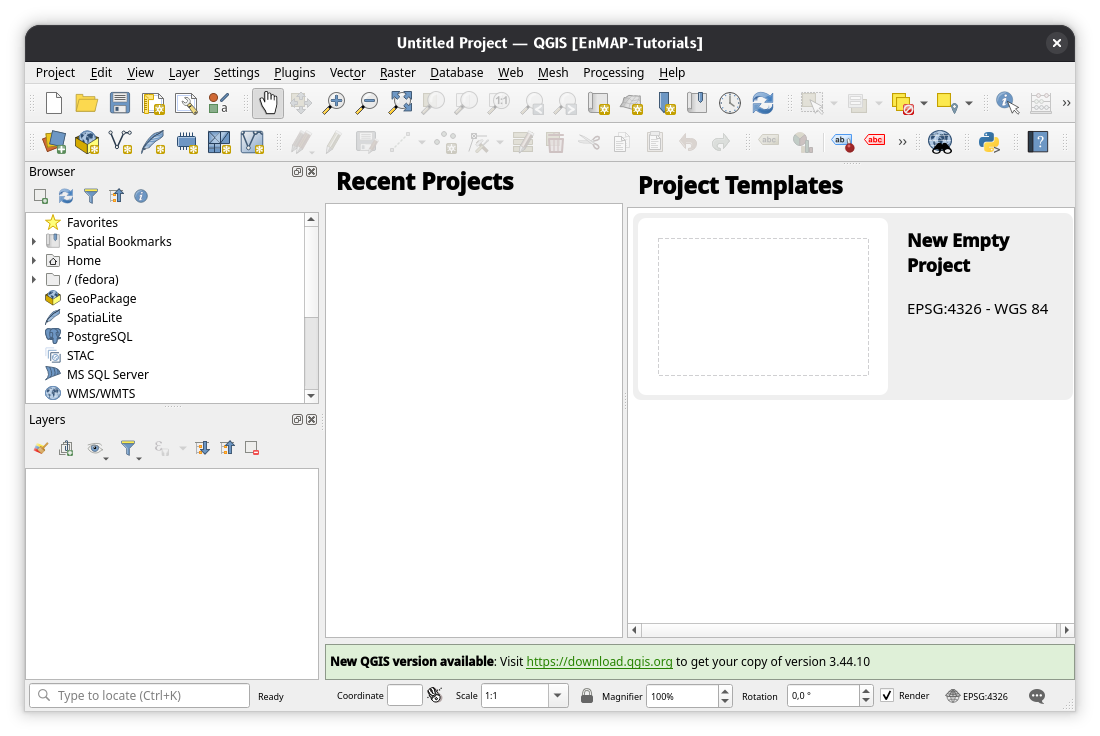
-
Download the EnMAP-Box 3.17.7. enmapboxplugin.3.17.7.zip from https://github.com/EnMAP-Box/enmap-box/releases/tag/v3.17.7
-
Open the QGIS Plugin Manager -> Install from ZIP and install the EnMAP-Box from enmapboxplugin.3.17.7.zip
